

1,046
people bought recently
972 ratings


Omron MC-246 Thermometer
₹239
₹266
10% off
Get for
₹215
on orders above ₹1200
Use Code 1MGNEWPLUS
Get for
₹220
on orders above ₹300
Use Code 1MGNEW
1/2
Unlock extra discounts with bank offers
Â
 ![]()
0
Unlock extra discounts with bank offers

Assured cashback up to ₹300 on minimum payment of ₹300 using Paytm UPI*

10% cashback up to 200 on Min Transaction of Rs.1000, for first time users of Airtel Payments Bank.

Pay with Amazon Pay Balance and get cashback up to Rs. 100 with minimum cashback of Rs. 20

Earn cashback up to Rs. 100 with Amazon Pay Later

Get cashback up to ₹500
Get upto Rs.500 Cashback on minimum transaction of Rs.999/- with Mobikwik Wallet.

Get upto Rs.150 Cashback
Payment, Returns & Expiry
Cash on delivery available
Get your product first, then pay us once you're sure about your order

We don’t take this product back
Products such as this are non-returnable to make sure that the next person doesn’t get a used item

Product information
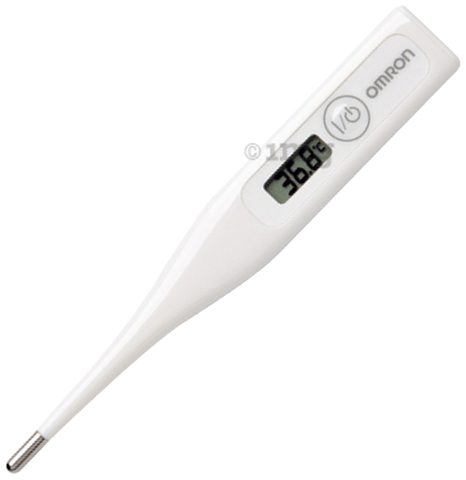
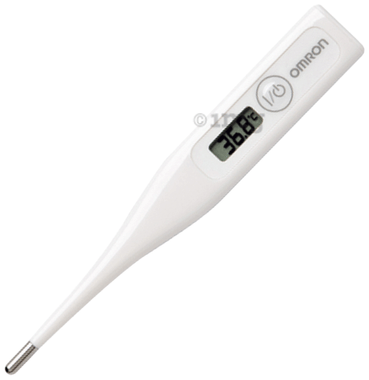
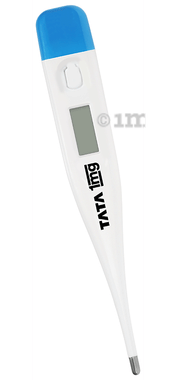
Omron MC-246 Thermometer helps measure body temperature by eliminating broken glass or mercury hazards. The measurement unit can be easily switched between C/F, and the device is water-resistant. The device provides accurate readings.
This device measures body temperature and converts the reading into a readable format such as Celsius or Fahrenheit.
Product Specifications and Features:
Good to Know:Dual mode reading (°F and °C )
Type of Thermometer: Non-mercury-based digital thermometer
Directions for Use:
Safety Information:
Frequently Asked Questions:
How to switch between Fahrenheit and Celcius units?
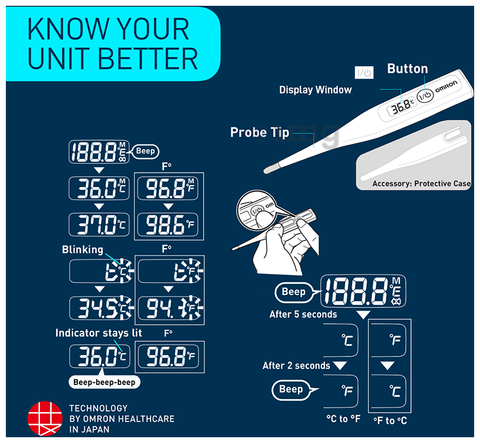
Press the I/O button for 7 seconds until a beep is heard. The display will change to the other measurement scale at the time when the beep sounds.
How to check the last measured temperature?
Press the I/O button to display the recently measured temperature.
Nothing appears in the display section when the power switch is pressed. What could be the error?
There may be cases for this to happen.
How do you know if the thermometer is accurate?
The ice bath test is the easiest way to test a thermometer for accuracy, assuming the thermometer will display temperatures of 32°F or less.
How do you know if the thermometer is broken?
Insert the thermometer into the glass of cold water without touching the sides of the glass. After 30 seconds, the thermometer should read 32° F. If it doesn't, it may need to be replaced or recalibrated.
What can affect a thermometer reading?
Direct sunlight, cold temperatures or a sweaty forehead can affect temperature readings. Variations in user technique, such as holding the scanner too far away from the forehead, also may affect accuracy.
Note:
- Product Dimensions: 19.4 (W) x 132.5 (L) x 10 (D)
- Product Weight: 12g (with battery)
- Immersion Depth: 3cm
This device measures body temperature and converts the reading into a readable format such as Celsius or Fahrenheit.
Product Specifications and Features:
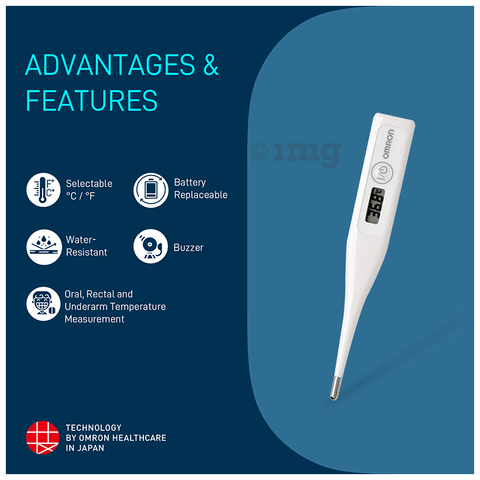
- Measurement range: 32.0C - 42.0C / 89.6F - 107.6F
- Selectable measurement unit: Easily switch between C/F units of body temperature measurement
- Water-resistant: Waterproof body material allows safe and sanitary usage of the device before each use
- Buzzer:Buzzer sound indicates the completion of body temperature measurement
- Battery: Replaceable batteries ensure easy and uninterrupted use of the device
- Oral, rectal, and underarm temperature measurement: Suitable and clinically validate for oral, rectal, and underarm body temperature measurement
- Memory: Last memory reading available for quick reference
- Auto off function: Yes
Good to Know:Dual mode reading (°F and °C )
Type of Thermometer: Non-mercury-based digital thermometer
Directions for Use:
- Press the I/O button
- Apply the thermometer to the measurement site
- When the reading is ready, the thermometer will emit a [beep-beep-beep] sound 3 times. Remove the device from the measurement site and read the result
- Turn off the thermometer and store it in the protective case
Safety Information:
- Do not bite on the thermometer. Doing so may lead to breakage and/or injury
- Do not share the thermometer among individuals
- Do not attempt to disassemble or repair the thermometer. Doing so may result in inaccurate readings
- Do not attempt to burn the battery. It may burst
- Pay attention to polarity (+ –) when replacing the battery. Failure to do so may lead to fluid leakage, heat generation or bursting, resulting in damage to the unit
- Remove the battery when the thermometer will not be used for 3 months or more. Failure to do so may lead to fluid leakage, heat generation or bursting, resulting in damage to the unit
- Do not attempt to disinfect the sensing section of the thermometer by immersing it in alcohol or hot water (water over 50°C)
Frequently Asked Questions:
How to switch between Fahrenheit and Celcius units?
Press the I/O button for 7 seconds until a beep is heard. The display will change to the other measurement scale at the time when the beep sounds.
How to check the last measured temperature?
Press the I/O button to display the recently measured temperature.
Nothing appears in the display section when the power switch is pressed. What could be the error?
There may be cases for this to happen.
- The battery may be inserted incorrectly. Please take out the battery and replace it using the correct polarity
- The battery is depleted. Replace with a new battery, and the device should start working
How do you know if the thermometer is accurate?
The ice bath test is the easiest way to test a thermometer for accuracy, assuming the thermometer will display temperatures of 32°F or less.
How do you know if the thermometer is broken?
Insert the thermometer into the glass of cold water without touching the sides of the glass. After 30 seconds, the thermometer should read 32° F. If it doesn't, it may need to be replaced or recalibrated.
What can affect a thermometer reading?
Direct sunlight, cold temperatures or a sweaty forehead can affect temperature readings. Variations in user technique, such as holding the scanner too far away from the forehead, also may affect accuracy.
Note:
- Customer Care Id: [email protected]
- Customer Care Number: 18004190492
Ratings and reviews
4.1 stars
5
61%
4
18%
3
6%
2
2%
1
13%
972 ratings & 202 reviews
753 customers have rated this product as 4 stars and above
Bhut hi aasan or top qwalti h .....mne use kiya top noch h
J
Jaideep Choudhary
December, 2025
The product is not working properly Unable to convert Celsus to Fahrenheit The settings aren’t working I had also raised a concern for this on 31st October
N
Nimisha Verma
November, 2025
its not working and they are ready to replace either
P
Pallavi Dwivedi
August, 2025

Frequently bought together

Bestseller
Omron MC-246 Thermometer
1 Unit
4.1
(972)
Get by 2pm, Today
₹239
10% off
₹215
order for
₹1200

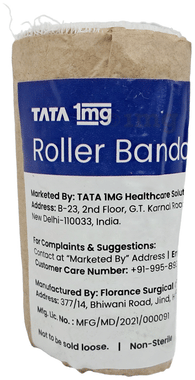
Tata 1mg Roller Bandage (Gauze Roll ) 7.5cm x 4m
1 Bandage
4.5
(72)
Get by 2pm, Today
₹24.9
29% off
₹22.4
order for
₹1200
Total for 2 items
₹263.9
12% off
Similar products
Customers who bought this item also bought
100% genuine products

Safe & secure payments

No contact delivery

Fully sanitized facilities

Other information
Content details
Last updated on 03 Feb 2026 | 08:59 PM (IST)
Manufacturer details
Name: A)Omron Dallan Co. Ltd.
Address: A)No.28, Dong bel Er Street, Economic & Technical Developing Zone,Dallan, China
Marketer details
Name: Omron Healthcare India Pvt Ltd
Address: 6th Floor , B-Block Sewa Tower, Plot no .19 Sector -18, Udyog Vihar, Maruti Industrial complex Gurgaon Haryana 122008 Tel: 1800-419-0492 (customer support) Email: [email protected]
Importer details
Name: Omron Healthcare India Pvt Ltd
Address: 6th Floor,B-Block Sewa Tower,Sector-18, Udyog Vihar,Maruti Industrial complex Gurgaon Haryana